SEO Audits & Tools
Get your webpages audited professionally and improve your SEO in minutes.
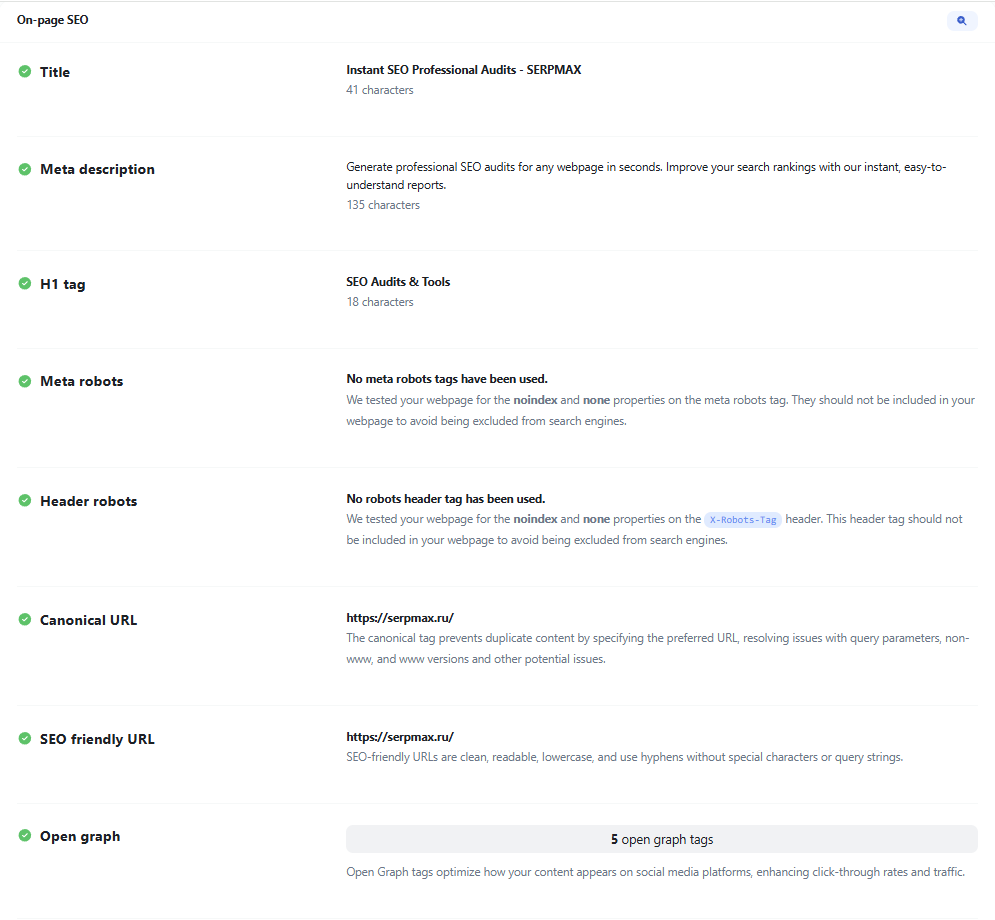
Paste your URL.
Single page, bulk, sitemap or raw HTML.Run the audit.
Get effective insights in seconds.Fix issues & improve.
Get actionable tips to improve your SEO.
Audit any type of webpage
Versatile, easy to use & modular checks.

Auditing history
Keep & verify all details of your old audits.

Advanced analysis of SEO
Your complete SEO checklist before going live with a page.






51 SEO tests
66 additional tools
Web & SEO tools. Fast, reliable and easy to use.
Find A, AAAA, CNAME, MX, NS, TXT and SOA DNS records for any hostname in one place.
Get approximate geolocation, timezone and network details for any IP address.
Inspect an SSL/TLS certificate: issuer, validity dates, common name and signature type.
Look up domain registration details: registrar, nameservers, key dates and domain age.
Check whether a website is online and measure its response time and status code.
Extract the visible text content of a webpage from its source code in one click.
Measure the time to first byte of any URL to spot slow server responses.
Measure the total size of a webpage, including all of its resources.
View and verify the meta tags that a webpage exposes to search engines and browsers.
Find which hosting provider and network serve a given website, with location details.
Inspect the HTTP response headers returned by a URL for a standard GET request.
Check whether a website serves content over HTTP/2 and see if the protocol is enabled.
Check whether Google currently has a cached copy of a URL and when it was captured.
Trace the redirect chain of a URL and inspect each 301 and 302 hop along the way.
Find the hostnames associated with an IP address through a reverse DNS query.
Check whether a website serves compressed responses with the Brotli algorithm.
Compare the amount of visible text to the amount of HTML code on a page.
Check whether a page is blocked from search indexing by meta tags, headers or robots.txt.
Verify that a website correctly returns a 404 status code for a nonexistent URL.
Fetch a site's robots.txt, review its rules and list the sitemaps it declares.
Extract and review all H1 to H6 headings on a webpage to check its outline.
Check whether a page declares a canonical URL and see which address it points to.
Find JSON-LD structured data on a page and check whether it parses correctly.
Check which images on a page are missing alt attributes for accessibility and SEO.
Find obsolete HTML tags that should be replaced with modern equivalents.
Check whether a site enforces HTTPS with the HTTP Strict Transport Security header.
See whether a server reveals its software signature in HTTP response headers.
Check whether a site has a valid favicon and whether it is linked correctly in the HTML.
Check whether Google flags a URL as safe or potentially unsafe for visitors.
Check which images on a page use lazy loading and which load immediately.
Get the title tag of a webpage and see its character count at a glance.
Get the meta description of a page and check its character count.
Read the HTML lang attribute of a webpage and confirm the declared language.
Detect meta refresh redirects or reloads on a webpage and see their settings.
Count the total number of HTML elements in a page to assess DOM complexity.
Check whether a page declares a viewport meta tag for proper mobile rendering.
Check whether a page declares its character encoding and which charset it uses.
Check whether a server compresses responses with gzip, Brotli or another algorithm.
Check whether a page declares an HTML doctype and which version it uses.
Find the social media profile links that appear on a webpage.
Count the words in the visible content of a webpage.
Find the most frequently used words on a page and their relative density.
Find plaintext email addresses exposed in a webpage source.
Find HTML elements that use inline CSS styles.
Find webpage images and display their file formats.
Display the path and structural characteristics of a URL.
Find forms on HTTPS webpages that submit data to insecure HTTP URLs.
Find external links missing noopener or noreferrer attributes.
Find JavaScript tags and display their defer and async attributes.
Count the resources requested by a webpage.
Find all internal links on a webpage.
Find all external links on a webpage.
Check if a website returns a Content-Security-Policy header.
Find and validate the SPF record of a domain.
Check if a website returns a Referrer-Policy header and display its value.
Parse a sitemap and extract all discovered URLs.
Find insecure HTTP resources referenced by an HTTPS webpage.
Enter your website URL and you will get an instant preview of how it would look when finding it on Google.
Enter your website URL and you will get an instant preview of how it would look when finding it on Bing.
Enter your website URL and you will get an instant preview of how it would look when finding it on Yandex.
Enter your website URL and you will get an instant preview of how it would look when finding it on Yahoo.
Enter your website URL to preview how your pages appear when shared on social media platforms like Facebook and X (Twitter).
Minify your HTML by removing all the unnecessary characters.
Minify your CSS by removing all the unnecessary characters.
Minify your JS by removing all the unnecessary characters.
Check the Ahrefs Domain Rating of a website as a measure of its backlink profile.
Get notified on audit refreshes
Countless notification integrations for all your needs.
What SEO Professionals Say
I used to spend hours checking pages manually for technical SEO issues. SerpMax brings everything together in one report, from missing title tags and meta descriptions to canonical and indexing problems. It makes website audits much faster and helps me focus on the issues that actually need attention.

One of the most useful things about SerpMax is how clearly it explains each issue. Instead of just showing an error, it tells you what is wrong, why it matters, and how to fix it. This makes technical SEO much easier to understand, even when working with things outside your usual expertise.

We discovered several pages with indexing problems that we had previously overlooked. SerpMax helped us identify issues with robots directives, noindex tags, and canonical URLs. Having these checks in one place made troubleshooting much more straightforward.

I particularly like how detailed the page reports are. SerpMax checks everything from headings and metadata to image optimization, internal links, and page performance. It gives me a practical overview of what needs improvement instead of leaving me to guess where to start.

As a web developer, I often receive SEO recommendations that are too vague to act on. SerpMax makes the process easier by identifying specific technical problems and explaining what needs to change. It helps me communicate with SEO specialists and turn audit findings into actual development tasks.

SerpMax has become a regular part of our website optimization process. We use it to review important pages, catch missing metadata, check image attributes, and identify technical issues before they become bigger problems. It is especially useful when working across multiple websites.

Simple, transparent pricing.
Choose the plan that is right for you and your budget.
Free
Starter
15% off 23% off 21% offPro
15% off 21% off 30% offExpert
12% off 20% off 30% offBusiness
12% off 20% off 30% offAgency
12% off 20% off 30% offFrequently Asked Questions
Fast & accurate.
Get modern & precise audits within seconds.SEO done right.
Powerful technical SEO made easy.We respect your data.
Yours always. Deletable anytime.Get started
Blazing fast SEO audits for webpages.
Latest blog posts
Why CSP Report-Only is not working
CSP Report-Only is set but no reports arrive: how to check headers, report-uri, browser support and fix reporting.

Why font-display swap causes layout shift
font-display: swap improves rendering but can cause layout shift: how to measure, fix fallback metrics and reduce CLS.

Why X-Robots-Tag noindex is ignored
X-Robots-Tag noindex is set but Google still indexes the page: how to find conflicts, caching and header issues and fix indexing.