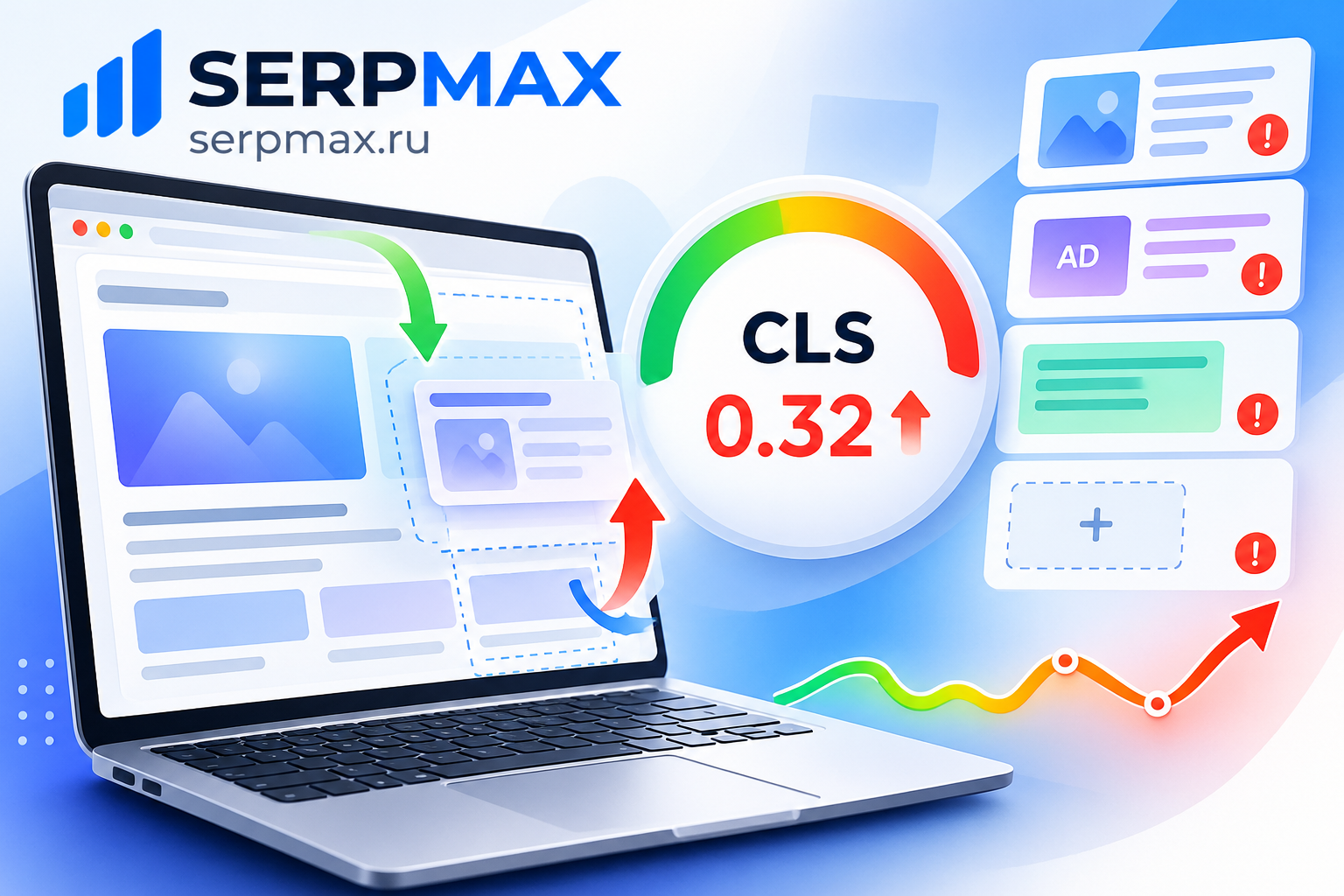
Your CLS score is high, and the page jumps while loading. Users tap the wrong button, text shifts, and the layout moves. CLS (Cumulative Layout Shift) measures visual stability, and a high score hurts user experience and Core Web Vitals. The causes are usually images without dimensions, fonts, ads and dynamic content. This guide explains why your CLS score is high and how to fix it.
What CLS measures and why it matters
CLS measures how much the page layout shifts during loading. Every time an element moves unexpectedly, it contributes to CLS. A high CLS means the page is visually unstable.
CLS thresholds:
— below 0.1 — good;
— 0.1 to 0.25 — needs improvement;
— above 0.25 — poor.
CLS is part of Core Web Vitals, which Google uses as a ranking signal. A high CLS can reduce rankings and frustrate users. It also affects conversions, because users may tap the wrong element while the page is still moving.
Reason 1: images without dimensions
The most common cause of high CLS is images without width and height attributes. When the image loads, the browser does not know its size, so the layout shifts to make room.
What to check:
— do images have width and height attributes;
— is the aspect ratio defined in CSS;
— are responsive images using srcset;
— are images lazy-loaded above the fold.
The fix: always set width and height attributes on images. This tells the browser how much space to reserve before the image loads. For responsive images, use aspect-ratio in CSS.
Reason 2: fonts causing text shift
When a custom font loads after the fallback font, the text may shift. This is called FOUT (Flash of Unstyled Text) and it contributes to CLS.
What to check:
— is font-display set to swap or optional;
— are fallback fonts with similar metrics used;
— is preload used for critical fonts;
— is size-adjust or ascent-override used.
The fix: use font-display: swap or optional, choose fallback fonts with similar metrics, and use size-adjust to minimize the shift. Preload critical fonts so they load earlier.
Reason 3: ads and embeds
Ads, iframes and embeds often load after the page and push content down. This is a common cause of high CLS on sites that rely on advertising or third-party widgets.
What to check:
— do ad slots have reserved space;
— do iframes have fixed dimensions;
— do embeds load above the fold;
— do widgets inject content that shifts the layout.
The fix: reserve space for ads and embeds using min-height or aspect-ratio. Do not inject content above existing content unless it is in response to user interaction.
Reason 4: dynamic content inserted above existing content
If JavaScript inserts content above existing content, the layout shifts. This is common with banners, notifications, cookie consent bars and dynamically loaded widgets.
What to check:
— does JavaScript insert content above the fold;
— do banners or notifications push content down;
— do cookie consent bars shift the layout;
— does infinite scroll insert content above existing items.
The fix: reserve space for dynamic elements or insert them below existing content. For cookie consent bars, use a fixed overlay instead of pushing content down.
Reason 5: CSS animations and transforms
Some CSS properties trigger layout shifts, while others do not. Properties like top, left, width and height cause layout shifts. Properties like transform and opacity do not.
What to check:
— are animations using top or left instead of transform;
— are elements resized on hover or focus;
— are transitions changing layout properties;
— are animations triggered on page load.
The fix: use transform and opacity for animations. Avoid animating layout properties. If you must animate size, do it inside a container with fixed dimensions.
For a broader check of page size and resources, website page size checker can help identify heavy resources that contribute to layout shifts.
How to diagnose CLS
A practical sequence:
— open PageSpeed Insights or Lighthouse;
— check the CLS score;
— identify which elements shift;
— check images for dimensions;
— check fonts for shift;
— check ads and embeds;
— check dynamic content;
— check CSS animations.
Chrome DevTools has a "Layout Shift" panel that highlights shifting elements. This is the fastest way to find the cause.
For a broader audit of Core Web Vitals and speed factors, SEO audit can help verify LCP, CLS, TTFB and other metrics in one place.
How to fix CLS
Fix steps:
— set width and height on all images;
— use aspect-ratio for responsive images;
— use font-display: swap or optional;
— choose fallback fonts with similar metrics;
— reserve space for ads and embeds;
— avoid inserting content above existing content;
— use transform and opacity for animations;
— test after each change.
FAQ
Why is my CLS score high?
Most often because of images without dimensions, fonts causing text shift, ads and embeds without reserved space, or dynamic content inserted above existing content.
What is a good CLS score?
Below 0.1 is good. 0.1 to 0.25 needs improvement. Above 0.25 is poor.
Do width and height attributes fix CLS?
They help significantly. They tell the browser how much space to reserve before the image loads. For responsive images, use aspect-ratio in CSS.
Can fonts cause CLS?
Yes. When a custom font loads after the fallback font, text may shift. Use font-display: swap or optional, and choose fallback fonts with similar metrics.
Do ads always cause CLS?
Not if space is reserved. Ads cause CLS when they load without reserved space and push content down. Reserve space with min-height or aspect-ratio.
Does CLS affect SEO?
Yes. CLS is part of Core Web Vitals, which Google uses as a ranking signal. A high CLS can reduce rankings.
How do I find which elements shift?
Use Chrome DevTools Layout Shift panel or PageSpeed Insights. They highlight shifting elements and show which ones contribute most to CLS.
Can CSS animations cause CLS?
Yes, if they animate layout properties like top, left, width or height. Use transform and opacity instead.
What about cookie consent bars?
They can cause CLS if they push content down. Use a fixed overlay instead of inserting them above existing content.
How long does it take to improve CLS?
Changes take effect immediately in the browser, but Core Web Vitals data in Search Console may take weeks to update. Test locally first, then monitor.