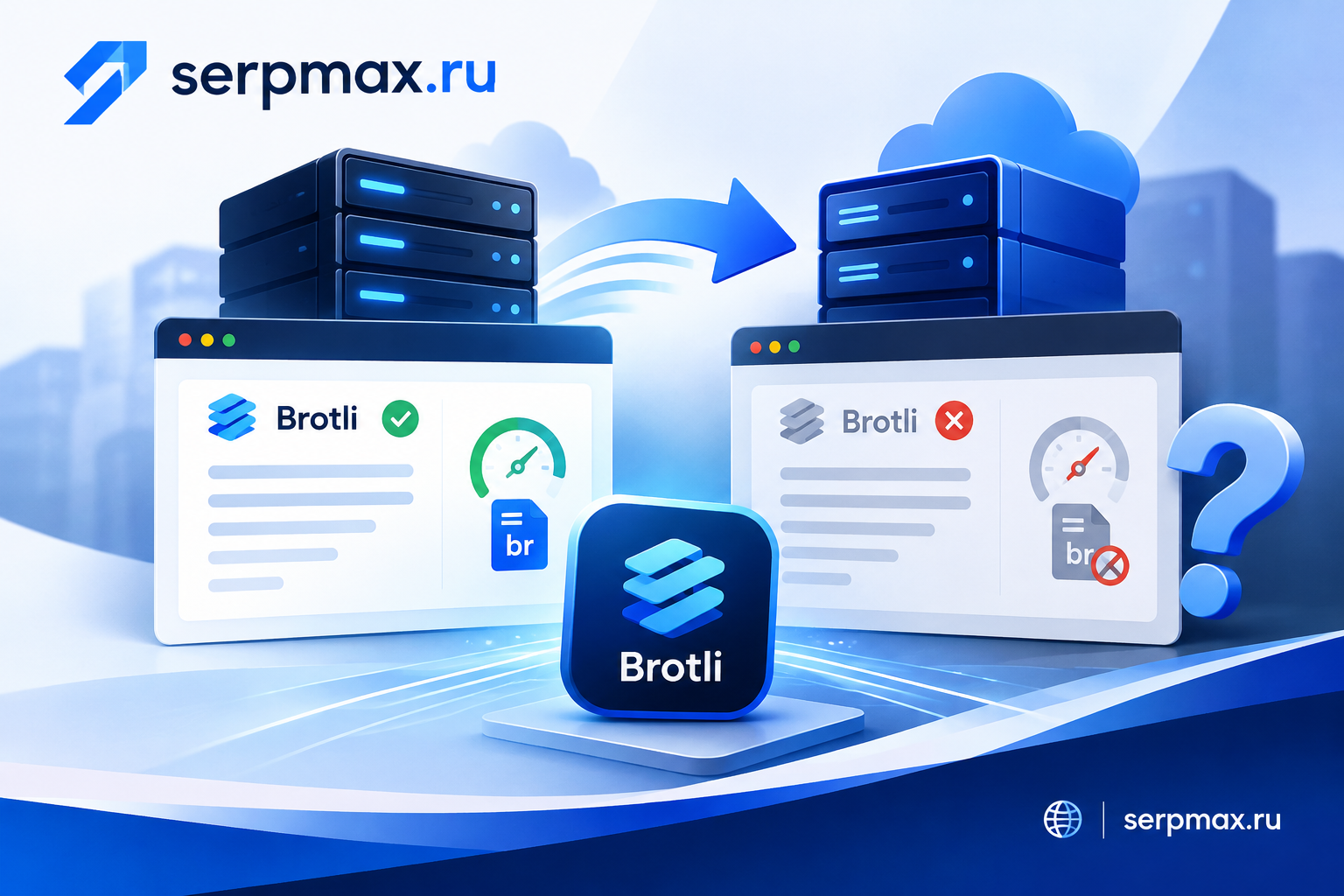
You moved your site to a new server, and page speed dropped. On the old host, Brotli compression was enabled and pages were smaller. On the new host, the same pages are served uncompressed or with gzip only. Brotli does not enable itself — it requires the module, correct configuration and proper MIME types. This guide explains how to check whether Brotli is working, why it stops after a move, and how to restore it without breaking caching or CDN behavior.
What Brotli does and why it matters
Brotli is a compression algorithm developed by Google. It typically compresses text-based assets 15 to 25 percent better than gzip, especially for HTML, CSS, JavaScript, SVG and JSON. Better compression means smaller files, faster downloads and better Core Web Vitals scores.
Brotli is supported by all modern browsers. The server decides whether to serve Brotli or gzip based on the Accept-Encoding header sent by the browser. If the server is not configured for Brotli, it falls back to gzip or serves uncompressed content.
After a server move, Brotli often stops working for three reasons: the module is not installed, the configuration was not migrated, or the MIME types are not covered. Each of these has a clear fix.
Check 1: is the Brotli module installed
Brotli in nginx is provided by a module, usually ngx_brotli. On the old server, the module may have been compiled in or installed as a package. On the new server, it may be missing.
How to check:
— run nginx -V and look for --add-module with brotli in the output;
— check whether the module file exists in the modules directory;
— check whether brotli directives are accepted by nginx config test.
If the module is not installed, install it or rebuild nginx with the module. Without the module, brotli directives in the config will cause an error or be ignored, depending on the nginx version.
Check 2: is Brotli enabled in the config
Even if the module is installed, Brotli must be enabled in the nginx configuration. Typical directives:
brotli on;
brotli_comp_level 6;
brotli_types text/plain text/css application/json application/javascript text/xml application/xml;
Key points:
— brotli on enables compression;
— brotli_comp_level controls the balance between speed and compression ratio;
— brotli_types lists MIME types that will be compressed.
A common mistake after a move is to copy the config but forget to enable Brotli, or to place the directives in the wrong context. Brotli directives must be in the http, server or location block, depending on the scope you need.
Check 3: are the MIME types covered
Brotli compresses only the MIME types listed in brotli_types. If a type is missing, the file is served uncompressed or with gzip.
Typical types to include:
— text/html;
— text/css;
— text/plain;
— text/xml;
— application/javascript;
— application/json;
— application/xml;
— image/svg+xml;
— application/font-woff;
— font/woff2.
After a move, the new server may have different MIME type mappings. For example, the new server may serve JavaScript as application/x-javascript instead of application/javascript. If that type is not in brotli_types, JavaScript will not be compressed. Check the actual Content-Type headers of your assets and make sure each type is covered.
You can use Brotli checker to see whether the server returns Brotli-compressed responses and which content types are compressed. This is the fastest way to confirm whether Brotli is working at all.
Check 4: CDN and proxy behavior
If the site is behind a CDN or reverse proxy, the CDN may strip or re-apply compression. Some CDNs compress content themselves and ignore the origin server headers. Others pass through the origin response as-is.
What to check:
— does the CDN support Brotli;
— does the CDN strip Content-Encoding from the origin;
— does the CDN cache compressed and uncompressed versions separately;
— does the CDN respect the Vary: Accept-Encoding header.
A common issue after a move: the new server returns Brotli, but the CDN serves a cached uncompressed version to users. Clearing the CDN cache and verifying the Vary header usually fixes it.
Check 5: static files and precompression
Some setups use precompressed files — for example, style.css.br alongside style.css. nginx can serve the .br file directly without compressing on the fly. If the precompressed files were not migrated, or if the gzip_static or brotli_static directive is not enabled, the server may fall back to uncompressed files.
What to check:
— are .br files present on the new server;
— is brotli_static on;
— does the server serve .br files when the browser supports Brotli;
— are the .br files regenerated after content updates.
If precompression is used, make sure the build process runs on the new server and produces .br files for all static assets.
How to verify Brotli is working
Verification steps:
— check response headers for Content-Encoding: br;
— check the Accept-Encoding request header includes br;
— compare file sizes with and without Brotli;
— check that Vary: Accept-Encoding is present;
— check that the CDN serves the compressed version;
— check that gzip is still available as a fallback.
For a broader performance check after a move, SEO audit can help verify compression, caching, TTFB and other speed-related factors in one place.
FAQ
Why did Brotli stop working after moving to a new server?
Most often because the Brotli module is not installed, the configuration was not migrated, or the MIME types are not covered. Check the module, the config and the Content-Type headers.
How do I check if Brotli is enabled?
Check response headers for Content-Encoding: br. If you see gzip or no encoding, Brotli is not active. A Brotli checker tool can confirm this quickly.
Can I use Brotli and gzip at the same time?
Yes. The server can offer both and choose based on the Accept-Encoding header. gzip serves as a fallback for older browsers.
What compression level should I use?
A level between 4 and 6 is usually a good balance between speed and compression ratio. Higher levels compress more but use more CPU.
Does Brotli affect SEO?
Indirectly. Better compression means smaller files and faster loading, which improves Core Web Vitals and user experience. This can positively affect rankings.
Why is JavaScript not compressed?
The MIME type of the JavaScript file may not be listed in brotli_types. Check the actual Content-Type header and add it to the config.
Can a CDN break Brotli?
Yes. Some CDNs strip or re-apply compression. Check whether the CDN supports Brotli and whether it respects the Vary header.
Do I need precompressed .br files?
Not necessarily. On-the-fly compression works for most sites. Precompression is useful for high-traffic sites where CPU usage matters.
How do I test Brotli after fixing the config?
Reload nginx, then check response headers for Content-Encoding: br. Compare file sizes before and after.
What if Brotli works but pages are still slow?
Compression is only one factor. Check TTFB, caching, image sizes and HTTP requests. A broader performance audit can help identify the bottleneck.